1 or many VMs
Divide the same pool around your applications.
 EST. 2003
HOME / SmartVPS
SHARKTECH · ESTABLISHED 2003
One resource pool. One or many virtual machines, deployed across five locations. Includes 40GB NVMe storage and 4TB data transfer.
$7.95/month · 2 vCPU + 4GB RAM to start
Build my SmartVPS ↗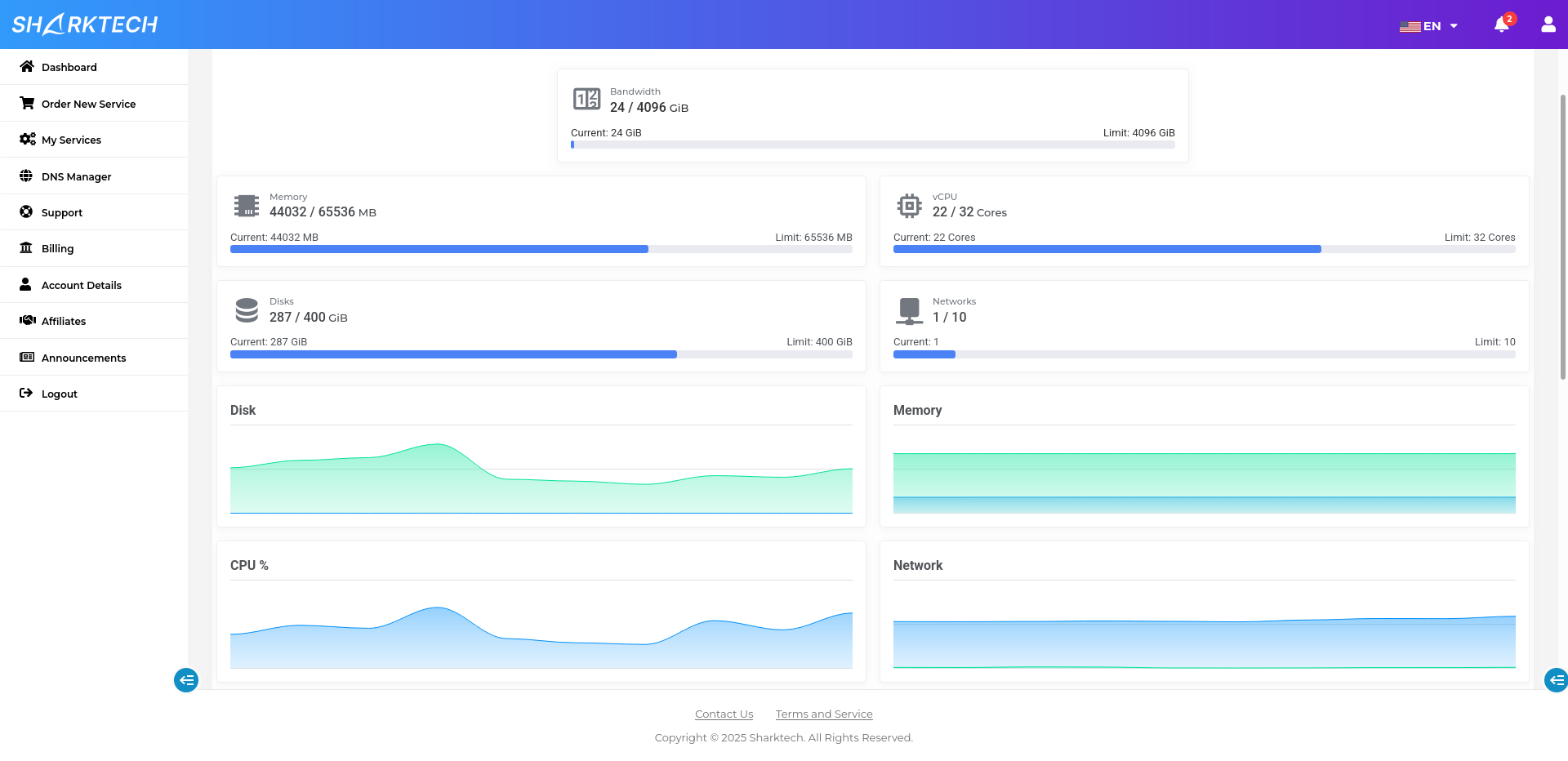
ONE POOL. YOUR WAY.
Use one flexible resource pool for a single VM or divide it across several workloads. Start with the included capacity, then add storage, transfer or IPv4 resources without changing the way you manage your deployment.
Build my SmartVPS ↗Divide the same pool around your applications.
NVMe storage and monthly transfer included by default.
Choose a service location when you deploy each VM.
ONE SMARTVPS RESOURCE POOL
Deploy one or many VMs across Los Angeles, Denver, Chicago, Las Vegas and Amsterdam. Increase CPU and RAM together as your workloads grow.
Included by default with your SmartVPS resource pool.
Keep the included resources, then add only what you need.
Enter valid quantities: storage in steps of 100, transfer and IPv4 in whole numbers.
Choose a location for each VM when you deploy. The portal measures storage in GiB and transfer in TiB.
Prices are USD. Quarterly: 25% off; semi-annually: 35% off; annually: 50% off. Term total is charged upfront. Final configuration and charges are confirmed in the customer portal.
ONE SERVICE. FIVE LOCATIONS.
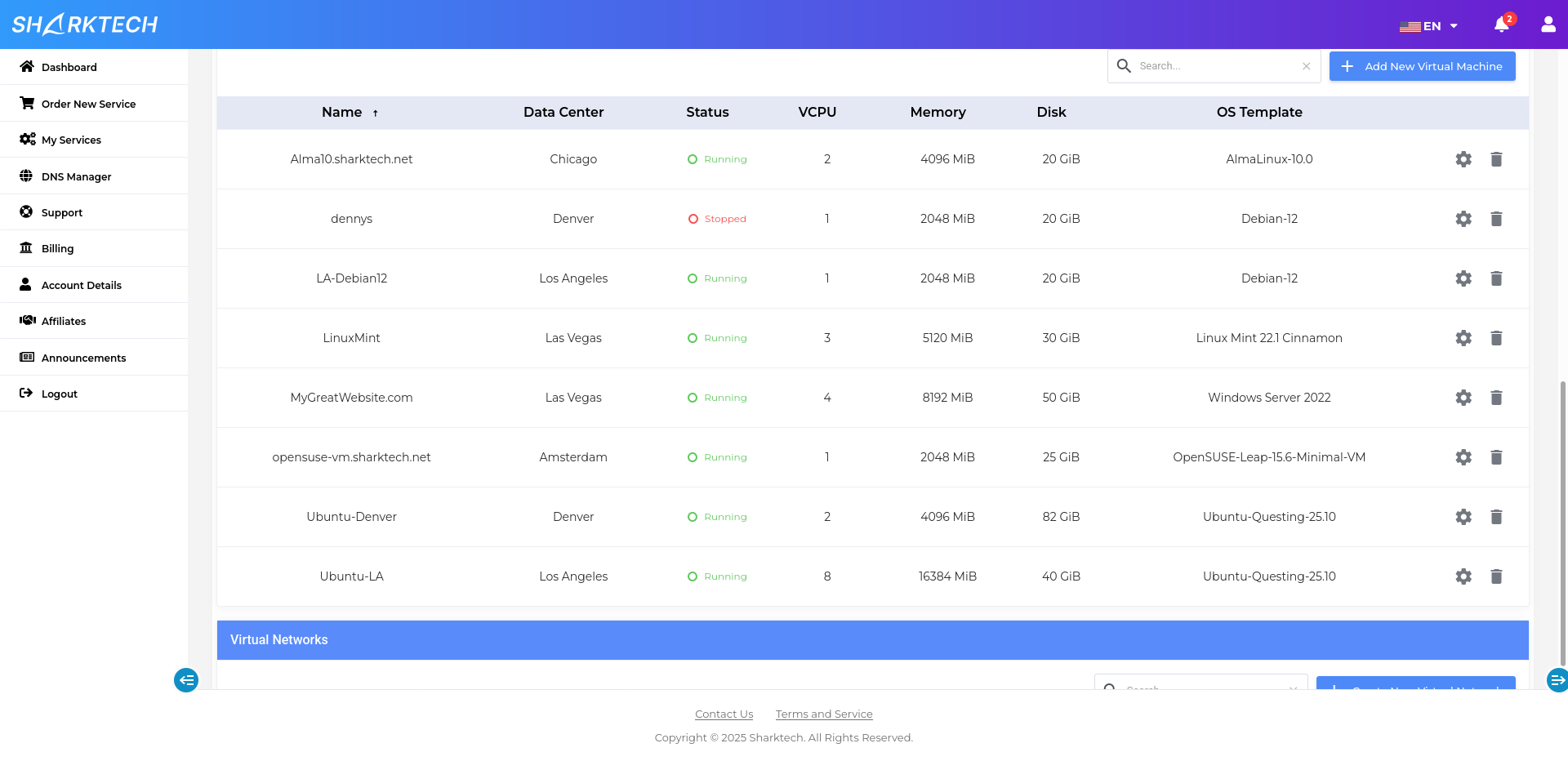
Use your resources for one powerful virtual machine, or divide them across multiple VMs. Deploy in Los Angeles, Denver, Chicago, Las Vegas and Amsterdam from the same SmartVPS service.
Fast storage included with your starting resource pool. Increase storage through the customer portal.
An included monthly transfer allowance for your workloads. Select more capacity as your needs grow.
Run Linux or Windows, choose each VM’s resources and distribute workloads across our service locations.
Select your resource level and billing cycle. Upgrade your allocation through the customer portal.
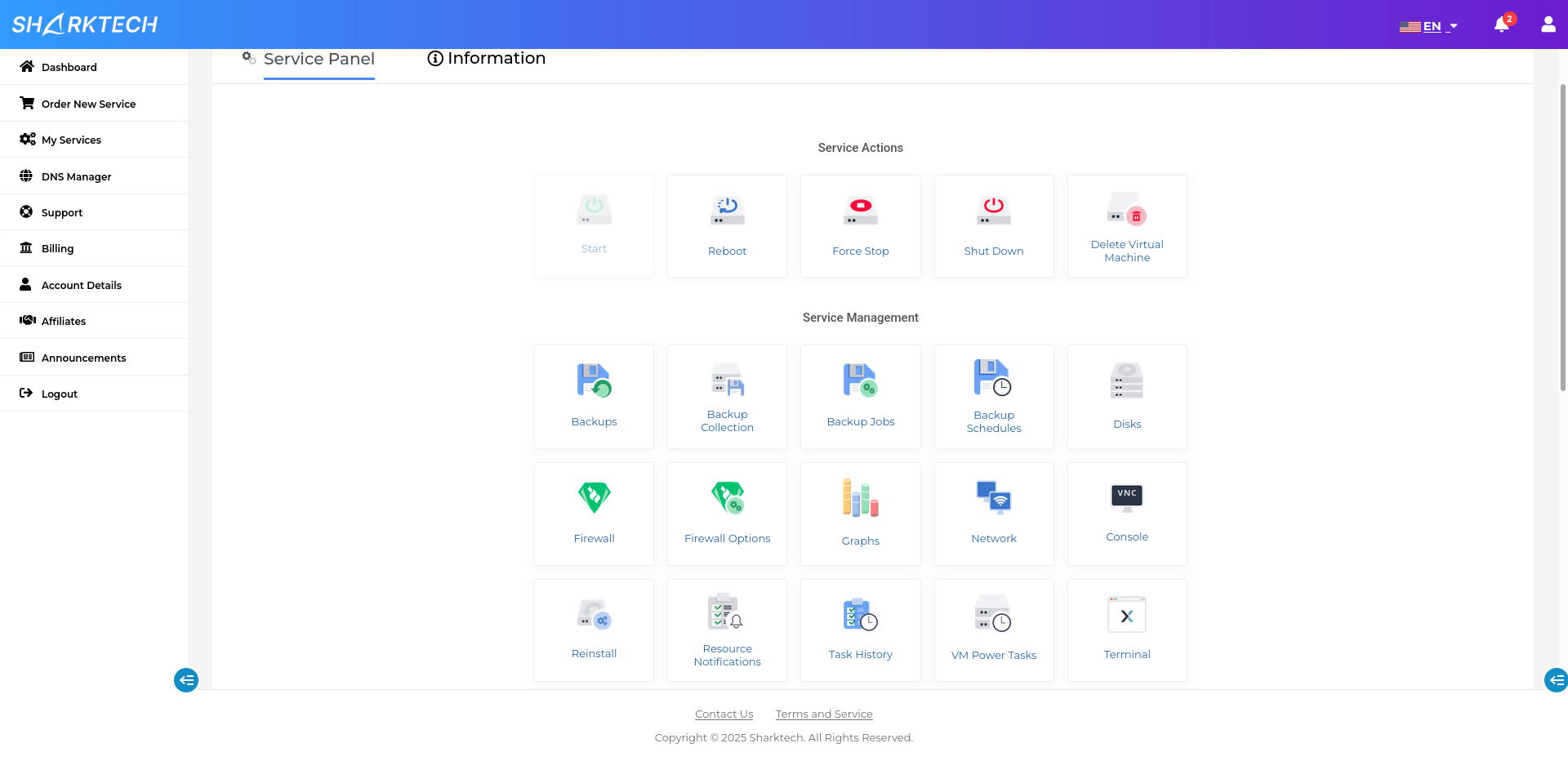
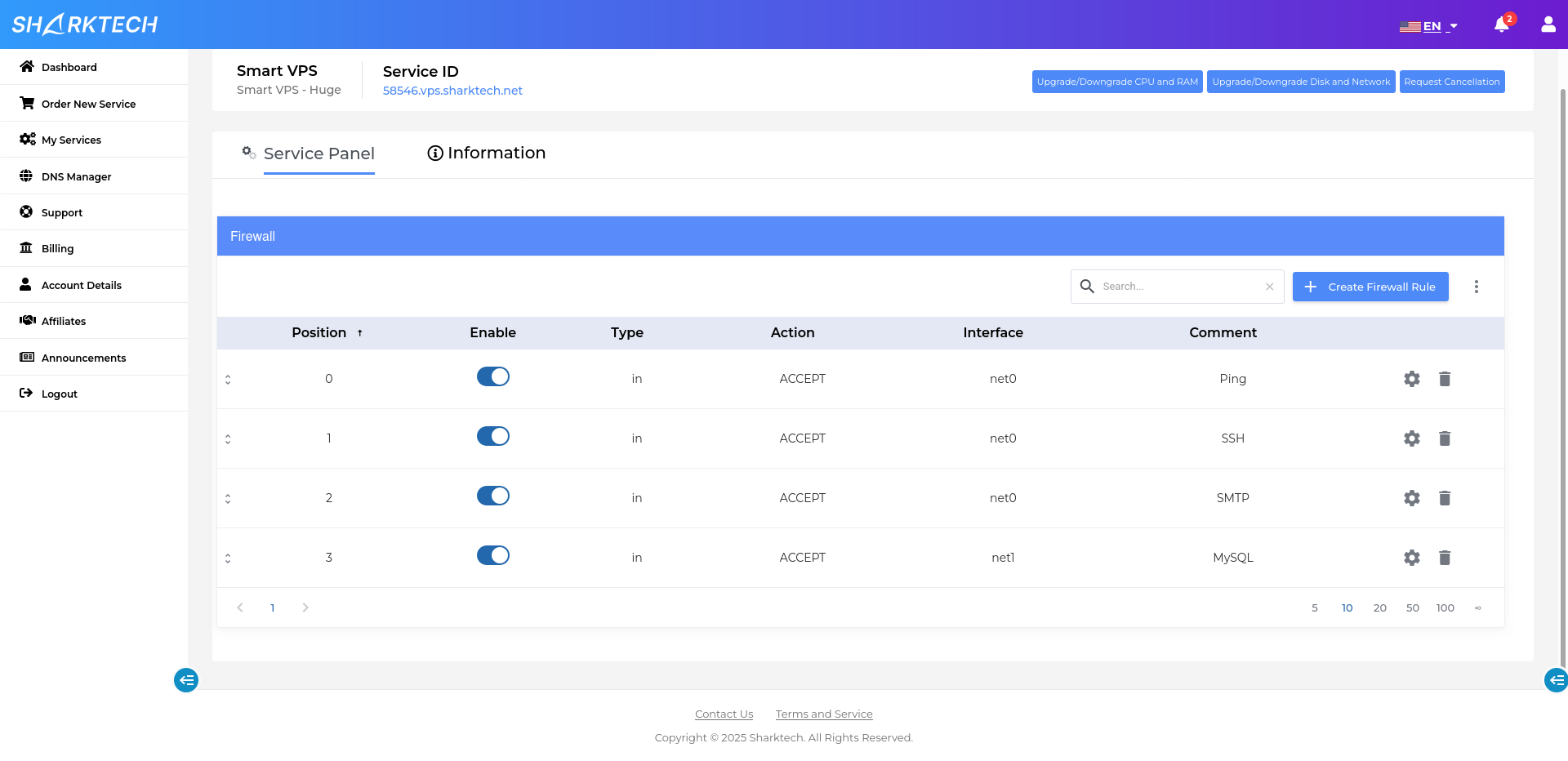
Manage firewall rules and private networks between your VMs from the management interface.
Sharktech’s technical support team is available 24/7. Infrastructure expertise since 2003.
YOUR MANAGEMENT INTERFACE
Host sites, APIs and application services with control over your operating system and software.
Separate development, production and database workloads into their own virtual machines.
Place collaboration tools and game servers closer to their users.
You are buying a pool of resources. Create one VM or multiple VMs, as long as their combined allocation fits within your resources.
Yes. Deploy your VMs across Los Angeles, Denver, Chicago, Las Vegas and Amsterdam. Choose the location when creating each VM.
The starting allocation includes 40GB NVMe storage, 4TB data transfer and one IPv4 address, alongside the CPU and RAM you select. Additional resources can be configured through the customer portal.
Upgrade your SmartVPS resources through the Sharktech billing platform, then allocate the extra capacity to your virtual machines.
REAL PEOPLE BEHIND THE INFRASTRUCTURE
You do not need to guess the perfect VM shape before you begin. Configure the pool that fits now, then decide how each virtual machine should use it.
